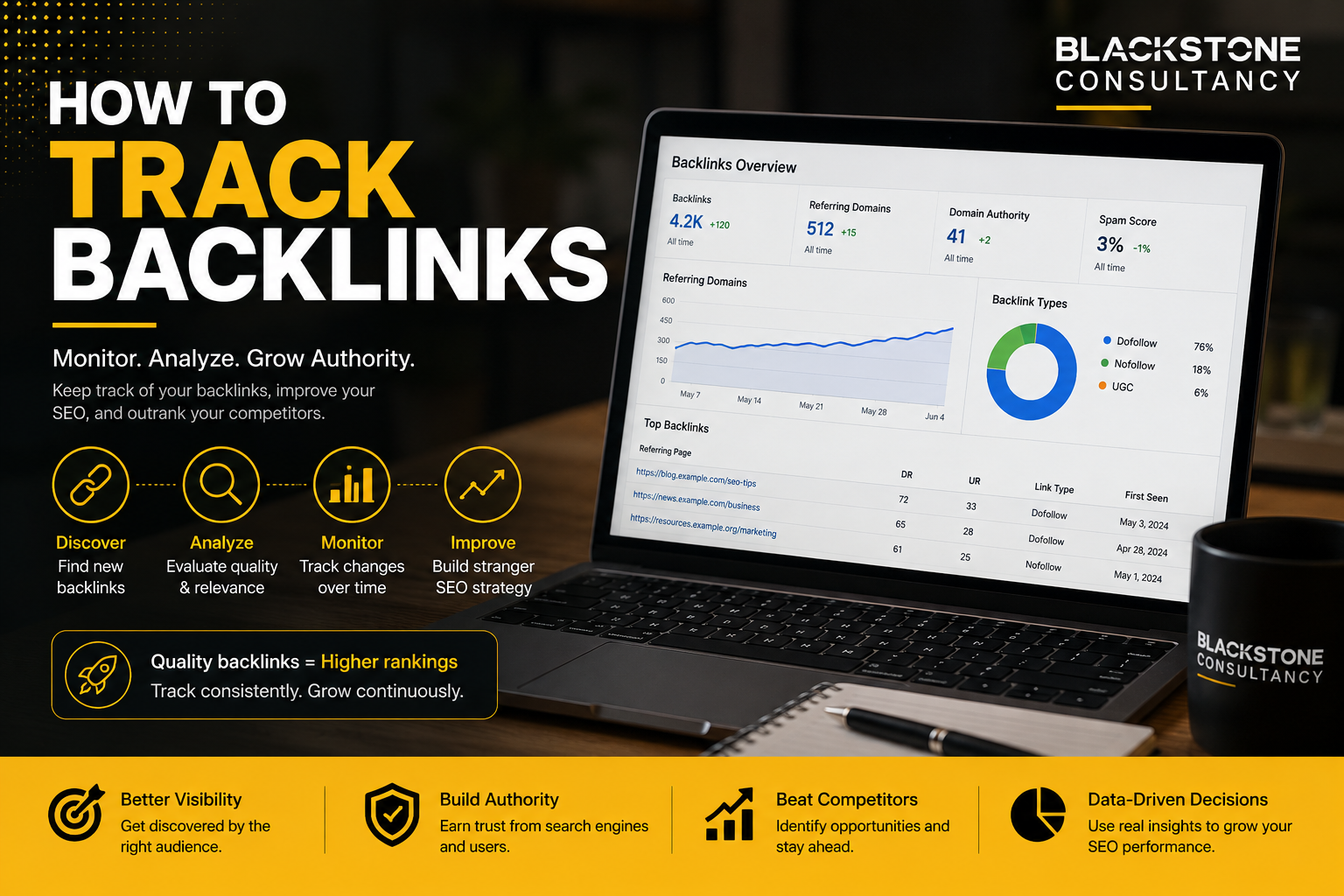
how to track backlinks for free using AI
Backlinks are still one of the most important visibility signals in SEO because they help search engines discover pages, understand relationships between websites, and evaluate whether a page is worth paying attention to. Google’s own link best practices explain that links help Google determine page relevance and discover new pages, while good anchor text gives users and search engines clearer context about the linked page. Source: Google Search Central link best practices.
But here is the problem: most backlink tools cost money, and many small businesses do not want to pay for a premium SEO platform before they know whether their link-building strategy is working. That is where a free AI-assisted workflow becomes useful.
This guide explains how to track backlinks using free tools, spreadsheets, and AI. The goal is not to replace professional SEO tools completely. The goal is to build a practical backlink monitoring system that helps you understand which websites link to you, which pages attract the most backlinks, which links are new, which links may have disappeared, and which backlinks deserve your attention.
At Blackstone Consultancy, we believe backlink tracking should be transparent, measurable, and connected to real business growth. A backlink report should not only say “you gained 20 links.” It should answer a better question: did those links improve visibility, trust, referral traffic, and commercial outcomes?
For examples of how digital strategy connects to real execution, you can explore Blackstone’s digital growth case studies.
What does it mean to track backlinks?
Tracking backlinks means monitoring the websites that link to your website over time. A backlink is any link from another website pointing to one of your pages. Backlink tracking helps you understand where your website is being mentioned, which pages are gaining authority, and whether your SEO campaign is building meaningful visibility.
| Linking Website | Your Linked Page | Anchor Text | Type of Backlink | Why It Matters |
|---|---|---|---|---|
| Local news site | Your homepage | Kuching SEO agency | Editorial mention | Builds local trust |
| Supplier website | Your service page | Digital marketing partner | Partner link | Shows business relationship |
| Blog article | Your guide | SEO audit checklist | Content link | Supports topical authority |
| Directory listing | Your contact page | Brand name | Citation link | Helps local visibility |
| Spam website | Random page | Irrelevant phrase | Low-quality link | May be ignored or monitored |
A backlink tracking system should help you separate useful links from noise. Without tracking, you may know that people are linking to your site, but you will not know whether those links are helping your SEO strategy.
Why use AI to track backlinks?
AI cannot magically see every backlink by itself. It still needs data from tools like Google Search Console, Bing Webmaster Tools, free backlink checkers, or manual exports. However, AI is useful because it can help you process backlink data faster.
Instead of manually reading hundreds of rows, AI can classify, summarise, prioritise, and explain patterns. It can help you detect which links look relevant, which ones need review, which pages attract the most links, and which competitor backlinks may become outreach opportunities.
| Task | Manual Method | AI-Assisted Method |
|---|---|---|
| Sort backlinks | Filter spreadsheet rows one by one | Ask AI to group links by quality, topic, and source type |
| Review anchor text | Read each anchor manually | Ask AI to detect branded, generic, keyword-rich, or irrelevant anchors |
| Find link opportunities | Compare competitor backlinks slowly | Ask AI to identify repeat domains, patterns, and outreach targets |
| Build reports | Write observations manually | Ask AI to generate a plain-English monthly summary |
| Spot risks | Guess which links look suspicious | Ask AI to flag unusual patterns for human review |
AI is not a substitute for SEO judgement. It is a speed layer. The best workflow is simple: free backlink tools collect data, spreadsheets organise data, AI interprets data, and humans make final decisions.
The free backlink tracking stack
You can track backlinks for free using a combination of tools. Each tool has limits, but together they give you a workable picture.
| Tool | Cost | Best Use | Main Limitation |
|---|---|---|---|
| Google Search Console | Free | Track links Google shows for your verified website | Not a full backlink index |
| Bing Webmaster Tools | Free | Review backlinks and compare competitor link profiles | Data is based on Bing’s ecosystem |
| Semrush Free Backlink Checker | Free limited use | Quick backlink checks for your site or competitors | Limited compared with paid plans |
| Google Sheets | Free | Store backlink data and build a tracking dashboard | Requires manual setup |
| AI assistant | Free or low-cost | Summarise, classify, and prioritise backlink data | Needs clean input data |
| Manual website review | Free | Validate whether a backlink is real and relevant | Takes time |
Google Search Console’s documentation states that its Links report is not a comprehensive list of every link. It shows a sample of internal and external links to help you understand your overall link profile. Source: Google Search Console Links report.
Simple infographic: free AI backlink tracking workflow
Step 1: Start with Google Search Console
Google Search Console should be your first free backlink tracking tool because it shows backlink data for your verified website. To use it, log in to Google Search Console, select your website property, go to the Links report, review top linked pages, review top linking sites, review top linking text, and export the data into Google Sheets.
The key is not just to look at the number of links. You want to understand which pages are attracting links and whether those pages are important to your business. If your homepage has many backlinks but your service pages have none, your authority may not be flowing to your commercial pages. If your blog guides attract backlinks but do not internally link to your services, you may be missing conversion opportunities.
A good SEO system connects content, links, and business intent. For businesses that need this structure, Blackstone’s technical SEO and off-page growth planning can help turn backlink data into a practical ranking strategy.
Step 2: Track top linked pages
Your top linked pages show which content earns the most attention from other websites. This is useful because pages that already attract backlinks can often be improved, internally linked, updated, or turned into stronger conversion assets.
| Page URL | Backlink Count | Referring Domains | Page Type | Business Value | Action |
|---|---|---|---|---|---|
| /blog/seo-guide | 54 | 18 | Blog article | Medium | Add internal links to SEO service page |
| / | 38 | 22 | Homepage | High | Monitor brand links |
| /case-studies | 17 | 9 | Proof page | High | Promote in outreach |
| /services/seo | 12 | 6 | Service page | Very high | Build more relevant links |
| /old-event-page | 9 | 4 | Outdated page | Low | Redirect or update |
This table helps you ask better questions. Are the pages with the most links still useful? Do linked pages have strong calls to action? Are linked blog posts passing internal authority to service pages? Are old pages receiving links that should be redirected?
Step 3: Track top linking sites
Top linking sites show which domains link to you most often. This is useful because one website can send many backlinks, but one strong referring domain is usually more meaningful than repeated low-value links from the same weak source.
| Linking Domain | Number of Links | Relationship | Relevance | Quality Rating | Next Step |
|---|---|---|---|---|---|
| localnews.my | 8 | Media | High | Strong | Build PR relationship |
| supplier.com | 4 | Partner | Medium | Good | Request link to service page |
| randomdirectory.net | 30 | Unknown | Low | Weak | Monitor only |
| university.edu.my | 2 | Educational | High | Strong | Thank and maintain relationship |
| nicheblog.com | 3 | Content publisher | High | Good | Pitch updated resource |
The most important metric here is not raw link count. It is relevant referring domains. A backlink from a trusted, relevant website in your niche is usually more valuable than dozens of unrelated links from random websites.
Step 4: Use Bing Webmaster Tools for extra backlink visibility
Bing Webmaster Tools is another free source of backlink data. Its backlink tool allows website owners to analyse their own backlink profile and compare it with other sites. Source: Bing Webmaster Tools Backlinks.
This competitor comparison is useful because backlink tracking should not only answer, “Who links to us?” It should also answer, “Who links to our competitors but not to us?”
| Competitor | Domain Linking to Competitor | Links to You? | Topic Relevance | Opportunity Type |
|---|---|---|---|---|
| Competitor A | localbusinesshub.my | No | High | Directory/profile |
| Competitor B | industryblog.com | No | High | Guest contribution |
| Competitor A | eventorganiser.my | No | Medium | Sponsorship mention |
| Competitor C | chamberofcommerce.my | No | High | Membership listing |
| Competitor B | reviewsite.my | No | Medium | Brand review |
Step 5: Use a free backlink checker for quick competitor checks
Free backlink checkers can help you quickly inspect a website’s backlink profile. For example, Semrush’s free backlink checker allows users to enter a domain or URL and review backlink-related metrics such as referring domains, backlink counts, anchor text, and follow or nofollow status. Source: Semrush Backlink Checker.
This is useful when you want a quick snapshot of your own backlink profile, a competitor’s backlink profile, a specific URL that ranks above you, a website you may want to earn a link from, or a lost backlink you want to verify.
Step 6: Build a free backlink tracking spreadsheet
A spreadsheet is the centre of the free workflow. It becomes your backlink database, dashboard, and reporting system.
| Column | Purpose |
|---|---|
| Date Found | When you first recorded the backlink |
| Source Tool | GSC, Bing, Semrush, or manual check |
| Linking Domain | Website linking to you |
| Linking URL | Exact page where the backlink appears |
| Target URL | Your page receiving the backlink |
| Anchor Text | Clickable text used in the backlink |
| Link Type | Dofollow, nofollow, sponsored, UGC, or unknown |
| Status | Live, lost, redirected, or not found |
| Relevance | High, medium, or low |
| Authority Estimate | Strong, average, or weak |
| Link Category | Editorial, directory, partner, PR, social, forum, or spam |
| Action Needed | Keep, reclaim, outreach, ignore, or investigate |
Sample backlink tracking dashboard
| Metric | Current Month | Previous Month | Change | Interpretation |
|---|---|---|---|---|
| Total recorded backlinks | 420 | 390 | +30 | Positive growth |
| Referring domains | 86 | 79 | +7 | Healthy increase |
| New backlinks | 42 | 28 | +14 | Outreach/content working |
| Lost backlinks | 12 | 9 | +3 | Review important lost links |
| High-relevance links | 31 | 25 | +6 | Quality improving |
| Low-relevance links | 48 | 44 | +4 | Monitor but do not panic |
| Links to service pages | 18 | 15 | +3 | Commercial pages gaining support |
| Links to blog pages | 190 | 174 | +16 | Content earning visibility |
Graph: backlink growth over six months
This graph shows healthy growth because referring domains increased steadily. A sudden spike may be good, but it may also require review. If you gained 200 links from unrelated websites in one week, you would want to check whether those links are natural, duplicated, or spammy.
Pie chart: backlink quality distribution
A healthy backlink profile usually has a mix of link types. The goal is not to have only one category. The goal is to avoid depending too heavily on low-quality or irrelevant sources.
AI prompt for backlink classification
After exporting backlink data into a spreadsheet, paste a cleaned sample into your AI tool and use a structured prompt.
You are an SEO analyst. Review this backlink data and classify each backlink.

For each row, assign:
1. Relevance: High, Medium, or Low
2. Link category: Editorial, directory, partner, PR, social, forum, spam, unknown
3. Risk level: Low, Medium, or High
4. Recommended action: Keep, reclaim, monitor, outreach, ignore, investigate
5. Short reason

Do not invent data.

Use only the columns provided.

Here is the backlink data:
[paste table]
AI prompt for monthly backlink reporting
You are preparing a monthly backlink tracking report for a business owner. Summarise the backlink data below in plain English.

Include:
1. Overall backlink trend
2. New high-value links
3. Important lost links
4. Anchor text observations
5. Pages that attracted the most links
6. Risks or unusual patterns
7. Recommended actions for next month

Keep the report practical and avoid technical jargon.

Data:
[paste spreadsheet summary]
AI prompt for competitor backlink gap analysis
You are an SEO strategist. Review this competitor backlink gap table.

Find:
1. Domains linking to competitors but not to us
2. Domains that look relevant to our industry
3. Possible outreach angles
4. Content ideas that could attract similar links
5. Low-quality opportunities we should avoid Return the answer as a table with: Domain, Competitor Linked, Opportunity Type, Outreach Idea, Priority.
What backlink metrics should you track?
Backlink tools often show many metrics. For a free workflow, focus on the metrics that help you make decisions.
| Metric | Why It Matters | How Often to Review |
|---|---|---|
| Referring domains | Shows how many unique websites link to you | Monthly |
| New backlinks | Shows recent link growth | Weekly or monthly |
| Lost backlinks | Helps recover valuable links | Monthly |
| Target pages | Shows which pages earn links | Monthly |
| Anchor text | Reveals how others describe your site | Monthly |
| Link relevance | Helps separate useful links from noise | Monthly |
| Competitor link gaps | Finds outreach opportunities | Monthly or quarterly |
| Suspicious links | Helps identify patterns worth reviewing | Monthly |
Backlink quality scorecard
| Factor | 0 Points | 1 Point | 2 Points |
|---|---|---|---|
| Relevance | Unrelated website | Somewhat related | Closely related |
| Placement | Footer/sidebar/sitewide | Mentioned in list | Contextual in article |
| Anchor text | Spammy or irrelevant | Generic or branded | Descriptive and natural |
| Target page | Random page | Homepage | Relevant service or content page |
| Website trust | Unknown or suspicious | Average | Recognisable or authoritative |
| Traffic potential | No likely visitors | Some visitors | Likely referral traffic |
| Score | Meaning | Action |
|---|---|---|
| 0–3 | Weak backlink | Monitor or ignore |
| 4–6 | Average backlink | Keep |
| 7–9 | Good backlink | Maintain relationship |
| 10–12 | Strong backlink | Prioritise similar opportunities |
Pros and cons of tracking backlinks for free using AI
| Pros | Cons |
|---|---|
| Low cost for small businesses | Data will not be as complete as paid SEO platforms |
| Helps build a habit of monthly SEO reporting | Requires manual exports and spreadsheet maintenance |
| AI can summarise large backlink tables quickly | AI may misclassify links without enough context |
| Good enough for early-stage SEO monitoring | Free tools may have limits or delayed data |
| Helps identify competitor link opportunities | You may need several tools to cross-check data |
| Makes backlink reports easier to understand | Human judgement is still required |
| Useful for agencies, freelancers, and business owners | Not ideal for enterprise-scale backlink audits |
The main advantage is clarity. The main disadvantage is incompleteness. Free tracking helps you make better decisions, but it does not show every possible backlink on the internet.
Common backlink tracking mistakes
1. Tracking only total backlinks
Total backlinks can be misleading. One website can create hundreds of sitewide links. Another website may give you one powerful editorial link. The second one may matter more. Track referring domains, relevance, target pages, and link type.
2. Ignoring lost backlinks
Lost backlinks are important because reclaiming a link is often easier than earning a new one. A backlink may disappear because the linking page was deleted, your URL changed, the website owner updated the article, a redirect broke, your page was removed, or the link was replaced with another resource.
3. Ignoring anchor text
Anchor text helps explain how other websites describe your page. Google’s link guidance says anchor text should be descriptive, reasonably concise, and relevant. Source: Google Search Central link best practices.
| Anchor Type | Example |
|---|---|
| Branded | Blackstone Consultancy |
| URL | blackstoneconsultancy.com.my |
| Topical | SEO agency in Malaysia |
| Generic | Learn more |
| Article title | How to Track Backlinks |
| Natural phrase | Useful backlink tracking guide |
4. Treating every low-quality link as an emergency
Most websites attract some strange links over time. Not every odd backlink requires action. Instead of panicking, look for patterns such as large sudden spikes, repeated exact-match anchors, links from unrelated spam sites, links pointing to strange URLs, or links from hacked-looking pages.
5. Forgetting internal links
Backlinks bring authority into your site, but internal links help distribute that authority. If a blog article earns links, it should guide readers to relevant service pages, case studies, or contact pages.
For example, a backlink-tracking article can naturally link to an SEO-ready website structure when explaining why technical foundations matter.
How to turn backlink tracking into SEO action
Backlink tracking is only useful if it changes what you do next. The purpose of tracking is not to create a report for the sake of reporting. The purpose is to identify what to update, what to promote, what to reclaim, and what to build next.
| Finding | What It Means | Recommended Action |
|---|---|---|
| Blog posts earn many backlinks | Content is attracting attention | Add internal links to relevant services |
| Service pages have few links | Commercial pages need support | Build links from case studies, partners, and resources |
| Competitors have links from local directories | You may be missing easy citations | Submit accurate business profiles |
| Competitors earn links from guides | Their content is useful to publishers | Create stronger, more detailed resources |
| Many links point to old pages | Authority may be wasted | Update, redirect, or improve old pages |
| Anchor text is mostly branded | Brand recognition exists | Add topical content to earn keyword-relevant links |
| Lost links increased | Pages or relationships may have changed | Reclaim valuable links |
Backlink tracking and content strategy
Backlinks are often earned because a page gives people a reason to reference it. That means backlink tracking should guide your content strategy. If your data shows that guides, case studies, templates, or local resources attract links, you should build more of those assets.
| Content Type | Why It Earns Links |
|---|---|
| Original research | People cite data |
| Case studies | People reference proof |
| Statistics pages | Writers need numbers |
| Tools and templates | Users share practical resources |
| Local guides | Useful for community and location searches |
| Expert explanations | Helps clarify complex topics |
| Infographics | Easy to share and reference |
For a Malaysian business, a strong content-led backlink strategy could include local market research, industry checklists, case studies, practical templates, comparison guides, data-backed blog posts, and educational resources.
Content can also be amplified through a social media content engine, especially when the goal is to get useful resources seen by partners, customers, and publishers.
Example: AI-assisted backlink tracking report
| Section | Finding | Action |
|---|---|---|
| Overall trend | Referring domains increased from 68 to 76 | Continue current content promotion |
| Strong new links | 3 new links from relevant local business websites | Build relationships with similar sites |
| Lost links | 2 links lost from older blog references | Check if pages were updated or removed |
| Top linked page | SEO guide received 12 new backlinks | Add stronger internal CTA |
| Anchor text | Mostly branded and natural | Healthy pattern |
| Risk area | 15 links from unrelated directories | Monitor but no immediate action |
| Opportunity | Competitors have links from local associations | Prepare outreach list |
AI-generated recommendation example: The backlink profile shows healthy growth, especially from relevant local websites. The strongest opportunity is to use high-performing blog content to support commercial SEO pages through internal links. The main risk is a small increase in unrelated directory links, but the pattern is not severe enough to require urgent action. Next month, focus on competitor link gaps, reclaiming lost links, and promoting case-study content to relevant business publications.
Bar chart: backlink action priority
The point is simple: do not spend all your time collecting data. Spend more time turning backlink insights into SEO improvements.
How AI can help identify linkable assets
A linkable asset is a page that other websites have a reason to reference. AI can review your top linked pages and suggest which assets are already working, why they may be attracting links, and how to improve them.
You are an SEO content strategist. Based on the backlink data below, identify which pages are currently acting as linkable assets. For each page, explain:
1. Why it may be attracting links
2. What type of websites are linking to it
3. How we can improve the page
4. What internal pages it should link to
5. What new content we should create based on this pattern

Data:
[paste top linked pages]
How backlink tracking supports AI search visibility
Search is changing. Businesses now need visibility not only in traditional search results but also in AI-assisted search experiences. Google’s SEO Starter Guide explains that SEO is about helping search engines understand your content and helping users find your site through search. Source: Google SEO Starter Guide.
Backlinks support this because links can help show that your website is referenced by other sources. But backlinks alone are not enough. You also need clear website structure, helpful content, strong internal linking, technical SEO, brand mentions, consistent business information, and quality pages that answer real questions.
How to use paid ads and social promotion without buying backlinks
You should not buy manipulative backlinks. However, you can use paid promotion to get useful content in front of people who may naturally reference it. This is different from paying someone to place a backlink. You are paying to promote useful content, not paying for artificial links.
When content needs more visibility, performance-focused Facebook advertising support can help amplify useful resources to the right audience.
30-day free backlink tracking plan
| Day | Task | Output |
|---|---|---|
| 1 | Set up or check Google Search Console | Verified property |
| 2 | Export Links report data | Spreadsheet tab 1 |
| 3 | Set up Bing Webmaster Tools | Additional backlink source |
| 4 | Export Bing backlink data | Spreadsheet tab 2 |
| 5 | Check your domain with a free backlink checker | Third-party snapshot |
| 6 | Create master backlink sheet | Combined backlink list |
| 7 | Remove duplicates | Cleaner data |
| 8 | Add columns for relevance and category | Review framework |
| 9 | Ask AI to classify backlink sample | First AI scoring output |
| 10 | Manually review top 20 links | Quality check |
| 11 | Identify top linked pages | Page-level insight |
| 12 | Identify top linking domains | Domain-level insight |
| 13 | Review anchor text | Anchor profile |
| 14 | Find lost links | Reclamation list |
| 15 | Compare one competitor | Competitor gap data |
| 16 | Compare second competitor | More opportunities |
| 17 | Ask AI for outreach priorities | Outreach list |
| 18 | Review internal links from top linked pages | Internal link plan |
| 19 | Update one high-value blog page | Better conversion path |
| 20 | Add contextual links to service pages | Authority flow |
| 21 | Create one linkable content idea | Future asset |
| 22 | Draft outreach email | Link-building support |
| 23 | Contact relevant partners | Relationship building |
| 24 | Contact directories or associations | Citation opportunities |
| 25 | Check suspicious links | Risk monitoring |
| 26 | Ask AI for monthly report | Plain-English summary |
| 27 | Create chart or dashboard | Visual reporting |
| 28 | Decide next month’s focus | SEO action plan |
| 29 | Save baseline metrics | Historical tracking |
| 30 | Repeat monthly | Consistent monitoring |
Free backlink tracking template
| Month | Referring Domains | New Links | Lost Links | High-Relevance Links | Links to Service Pages | Notes |
|---|---|---|---|---|---|---|
| January | 40 | 12 | 3 | 10 | 4 | Baseline month |
| February | 46 | 16 | 2 | 13 | 5 | Growth from content |
| March | 52 | 18 | 4 | 16 | 7 | Competitor outreach started |
| April | 61 | 24 | 5 | 21 | 9 | Case study links improved |
| May | 68 | 22 | 6 | 25 | 12 | Local citations added |
| June | 76 | 29 | 7 | 31 | 15 | Strongest growth so far |
How often should you track backlinks?
For most small and medium businesses, monthly tracking is enough. Daily backlink tracking is usually unnecessary unless you are running a major PR campaign, recovering from a migration, or monitoring a serious SEO issue.
| Business Type | Tracking Frequency |
|---|---|
| New website | Monthly |
| Active SEO campaign | Monthly |
| Digital PR campaign | Weekly during campaign, monthly after |
| Large ecommerce website | Weekly or biweekly |
| Enterprise website | Weekly with automated alerts |
| Local business | Monthly or quarterly |
What should you do with lost backlinks?
Lost backlinks are not always bad. Some disappear naturally. But if a valuable link disappears, you should investigate.
| Lost Link Situation | Possible Cause | Action |
|---|---|---|
| Linking page removed | Website deleted old content | No action or find new contact |
| Your page removed | Your URL no longer exists | Restore page or redirect |
| Link changed to competitor | Content was updated | Offer better updated resource |
| Link removed from partner page | Relationship or page changed | Contact partner politely |
| Link became nofollow | Editorial policy changed | Usually no need to panic |
| Link from spam site disappeared | Low-value source removed it | Ignore |
Backlink tracking checklist
[ ] Export Google Search Console link data
[ ] Export Bing Webmaster Tools backlink data
[ ] Run free backlink checker snapshot
[ ] Add new data to master spreadsheet
[ ] Remove duplicates
[ ] Mark new backlinks
[ ] Mark lost backlinks
[ ] Review top linked pages
[ ] Review top linking domains
[ ] Review anchor text
[ ] Classify links by relevance
[ ] Identify competitor link gaps
[ ] Reclaim important lost links
[ ] Add internal links from linked pages
[ ] Create monthly backlink summary
[ ] Set next month’s link-building priorities
FAQ: how to track backlinks
Can I track backlinks for free?
Yes. You can track backlinks for free using Google Search Console, Bing Webmaster Tools, limited free backlink checkers, spreadsheets, and AI. The trade-off is that free data is limited, so you should combine multiple sources.
Is Google Search Console enough for backlink tracking?
Google Search Console is a strong starting point, but it is not enough if you want a complete backlink picture. Google states that the Links report shows a sample, not a comprehensive list of every link.
Can AI find backlinks automatically?
AI does not automatically know all backlinks to your website. It needs data from backlink tools, exports, or search sources. AI is best used to classify, summarise, and prioritise backlink data.
What is the most important backlink metric?
Referring domains are usually more useful than total backlinks because they show how many unique websites link to you. But quality, relevance, anchor text, and target page matter too.
How do I know if a backlink is good?
A good backlink usually comes from a relevant, trustworthy website, appears naturally in context, uses sensible anchor text, and points to a useful page on your site.
Should I remove bad backlinks?
Not every strange backlink needs action. Monitor patterns first. If you see serious unnatural link patterns, investigate carefully and follow proper search engine guidance before taking action.
How often should I check backlinks?
Monthly is enough for most businesses. Weekly checks are useful during active PR campaigns, website migrations, or major link-building pushes.
Final thoughts
Learning how to track backlinks for free using AI is not about building the biggest spreadsheet possible. It is about creating a repeatable system that turns link data into business decisions.
The best free workflow is simple. Collect backlink data from free tools, store it in a spreadsheet, use AI to classify and summarise it, manually review important links, reclaim valuable lost backlinks, use competitor gaps to plan outreach, strengthen internal links from pages that already attract backlinks, and report progress every month.
Backlink tracking works best when it is connected to content strategy, technical SEO, website structure, and real business outcomes. That is the difference between collecting SEO data and building a search visibility system.
External sources cited